Okta
Configure Okta as an Identity Provider for CyberGuard
Go into your Okta admin console (it should look like this: https://<your_url>.okta.com/admin/dashboard)
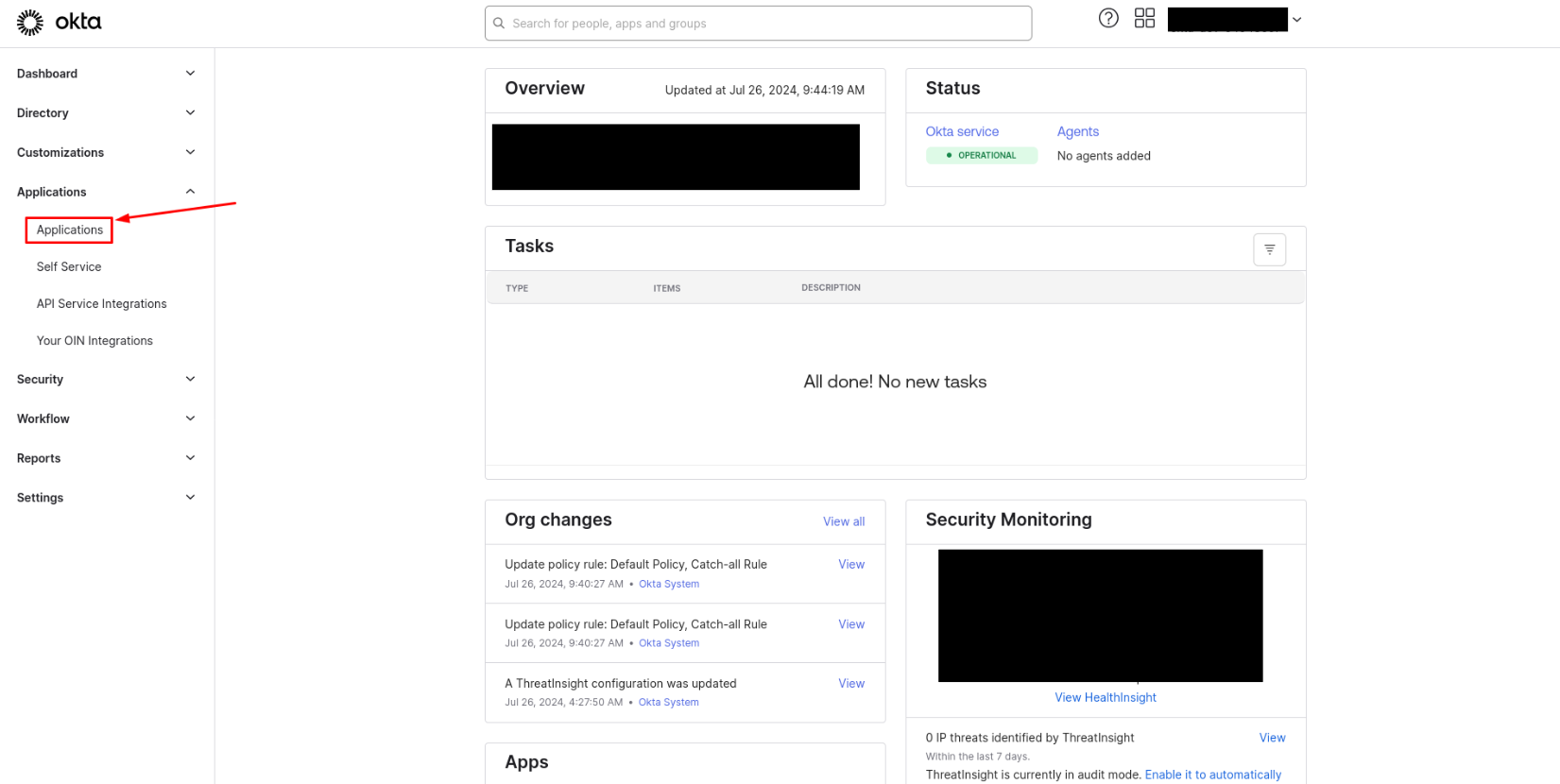
In the sidebar menu, click on Applications > Applications
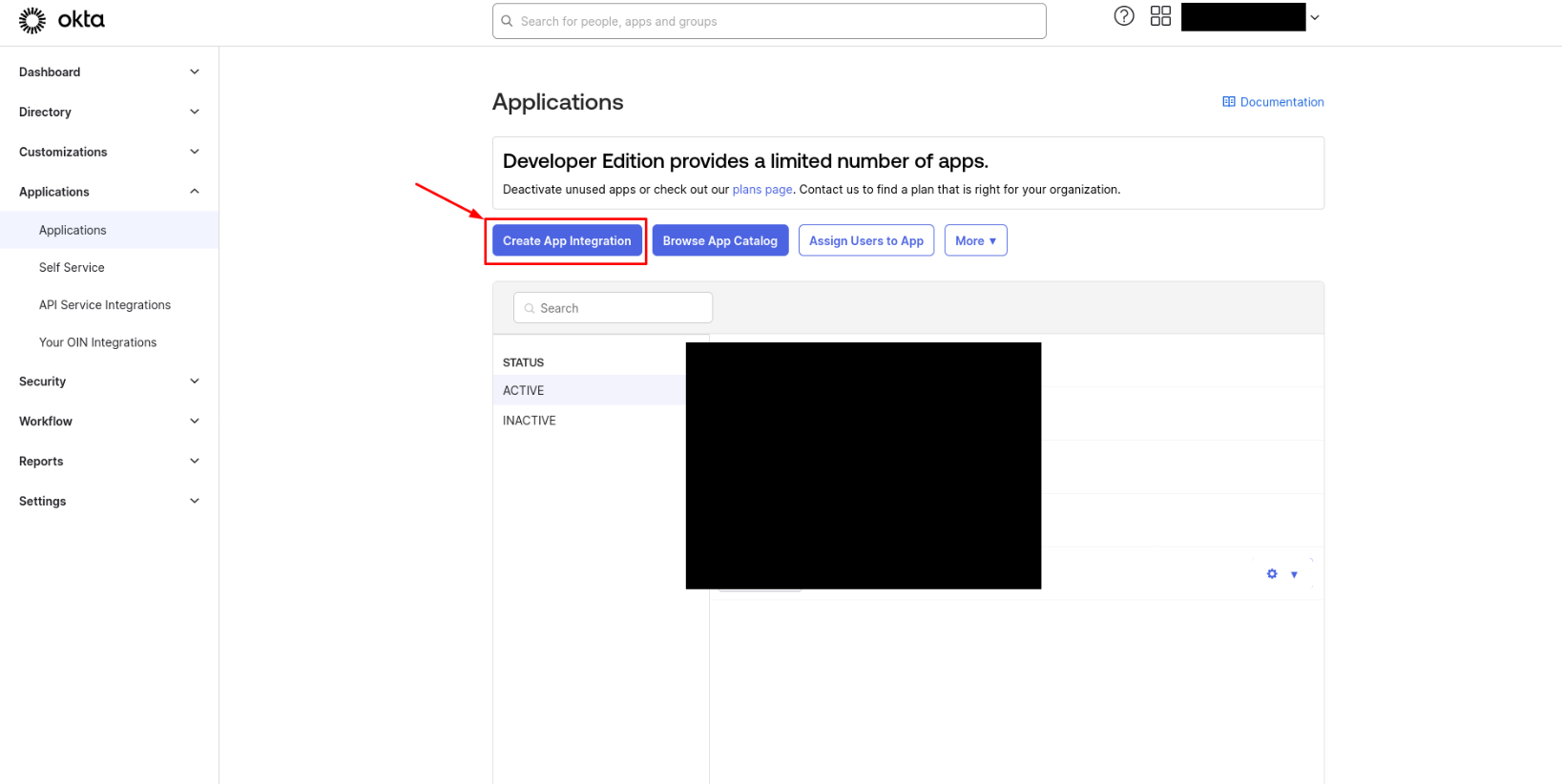
Click now on Create App Integration
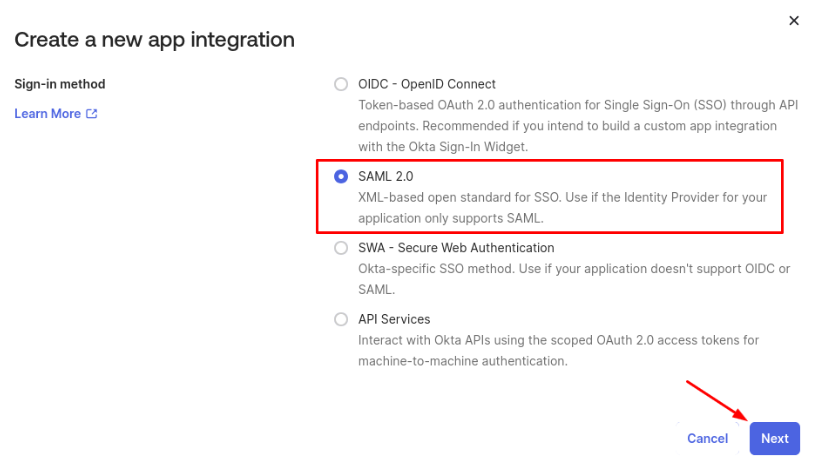
Select SAML 2.0 and click on Next
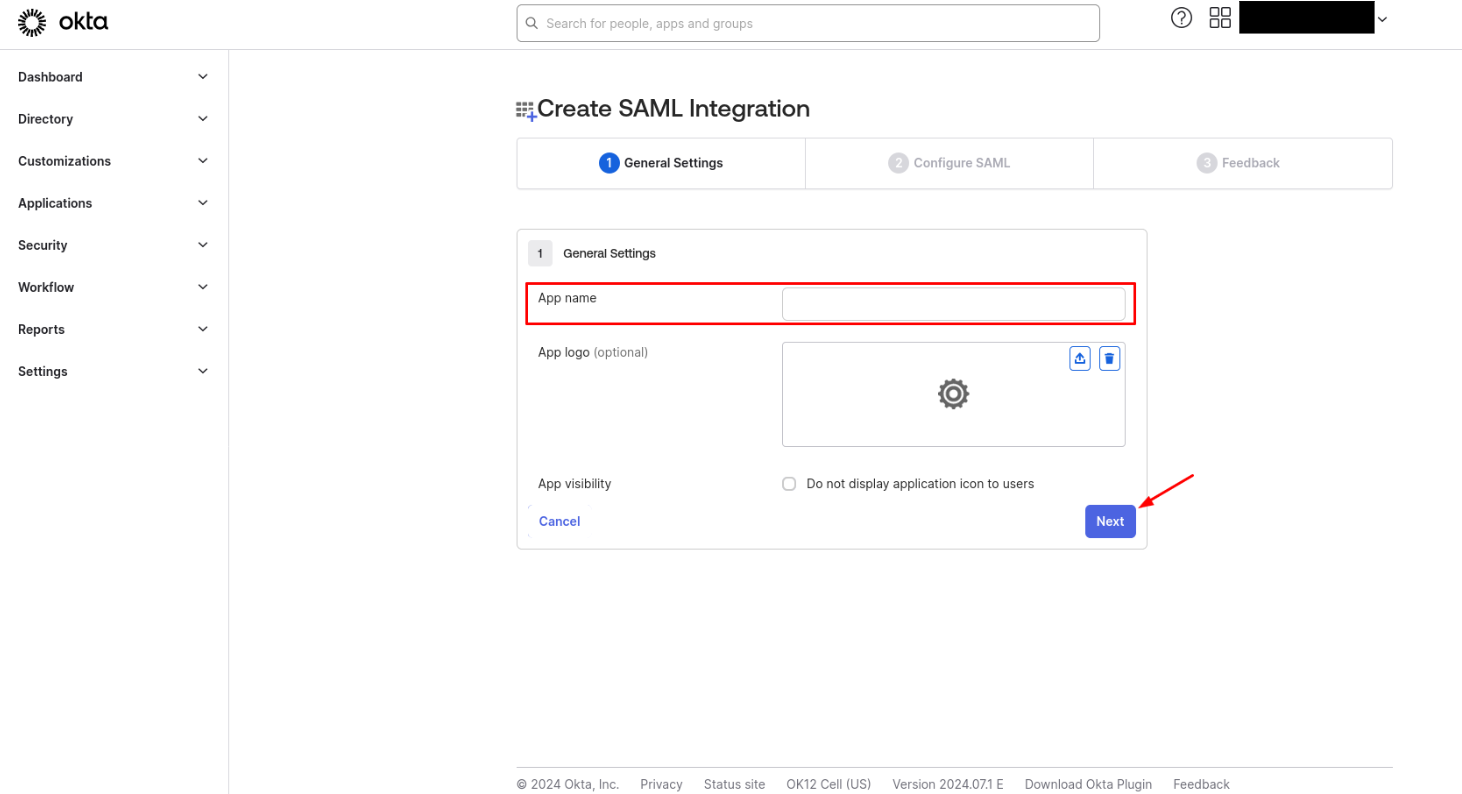
Choose an App name and click on Next
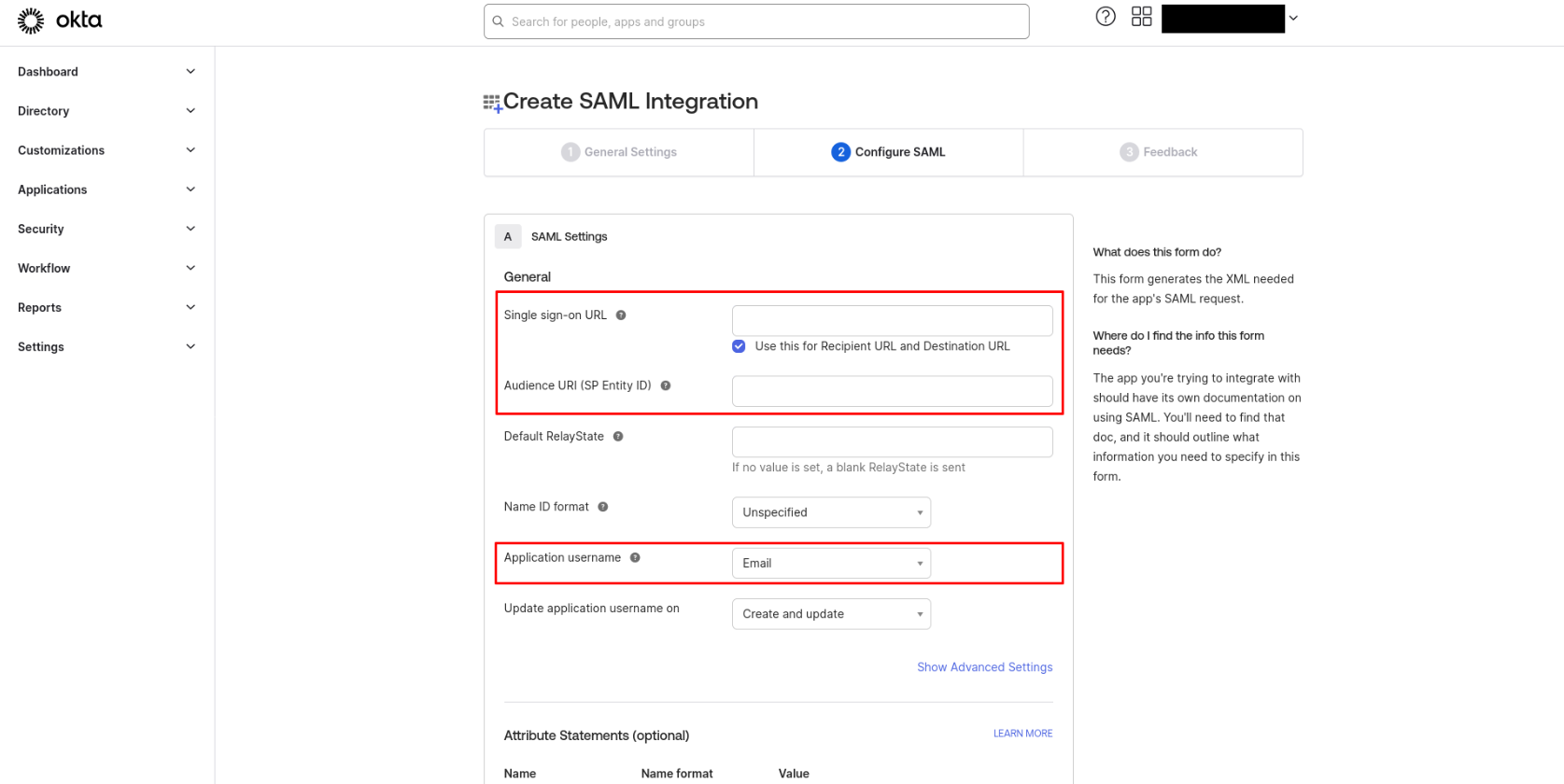
Add the Single sign-on URL:
<base_url>/api/accounts/saml/0/acs/(for example with CyberGuard:https://cyberguard.guardiangrid.ai/api/accounts/saml/0/acs/) (see screenshot below)Add the Audience URI (SP Entity ID), it has to be the same than SP Entity ID in CyberGuard (see screenshot below)
Choose Email as the Application username
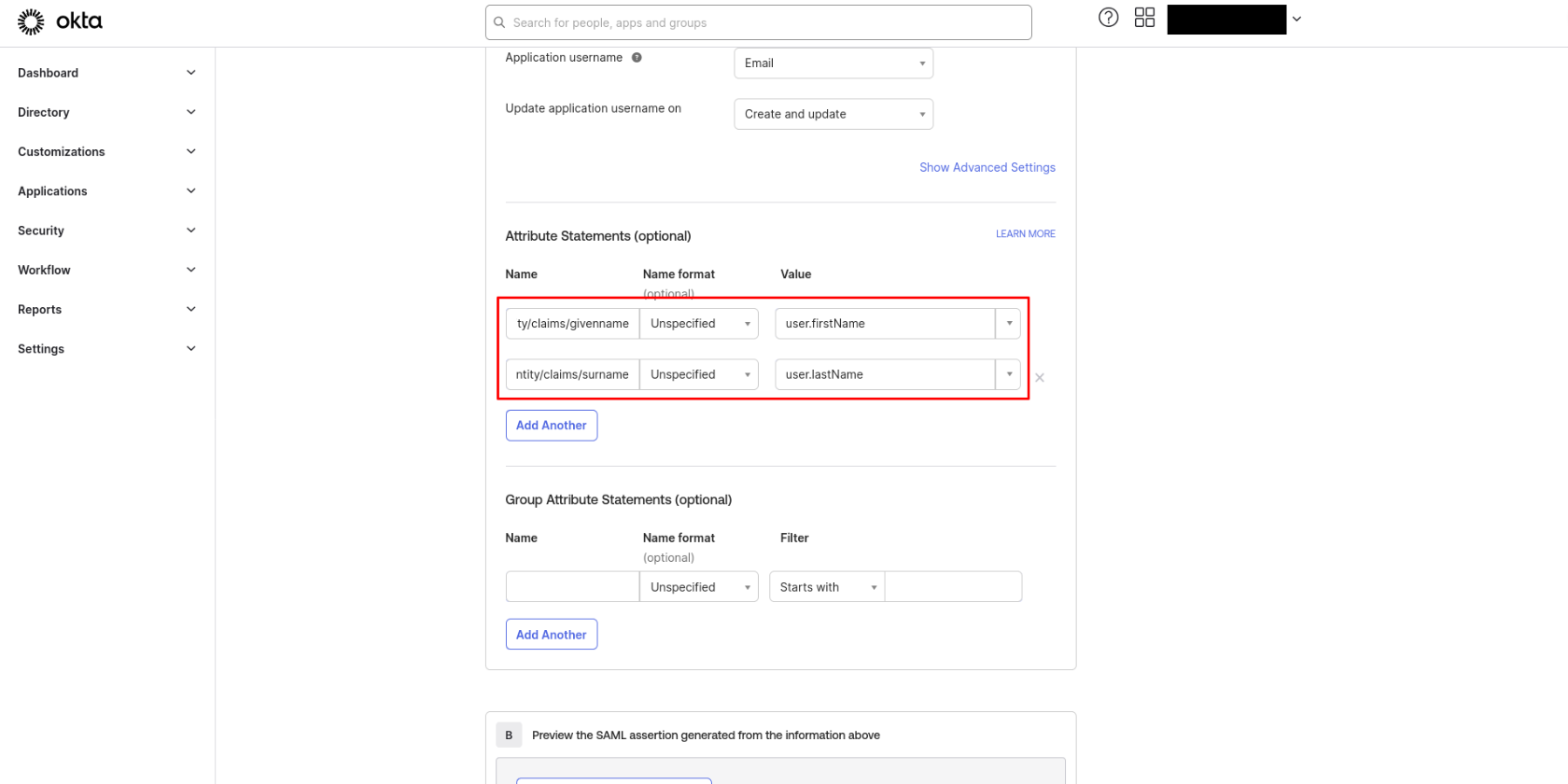
Add Attribute Statements
http://schemas.xmlsoap.org/ws/2005/05/identity/claims/givennamefor user's first namehttp://schemas.xmlsoap.org/ws/2005/05/identity/claims/surnamefor user's last name
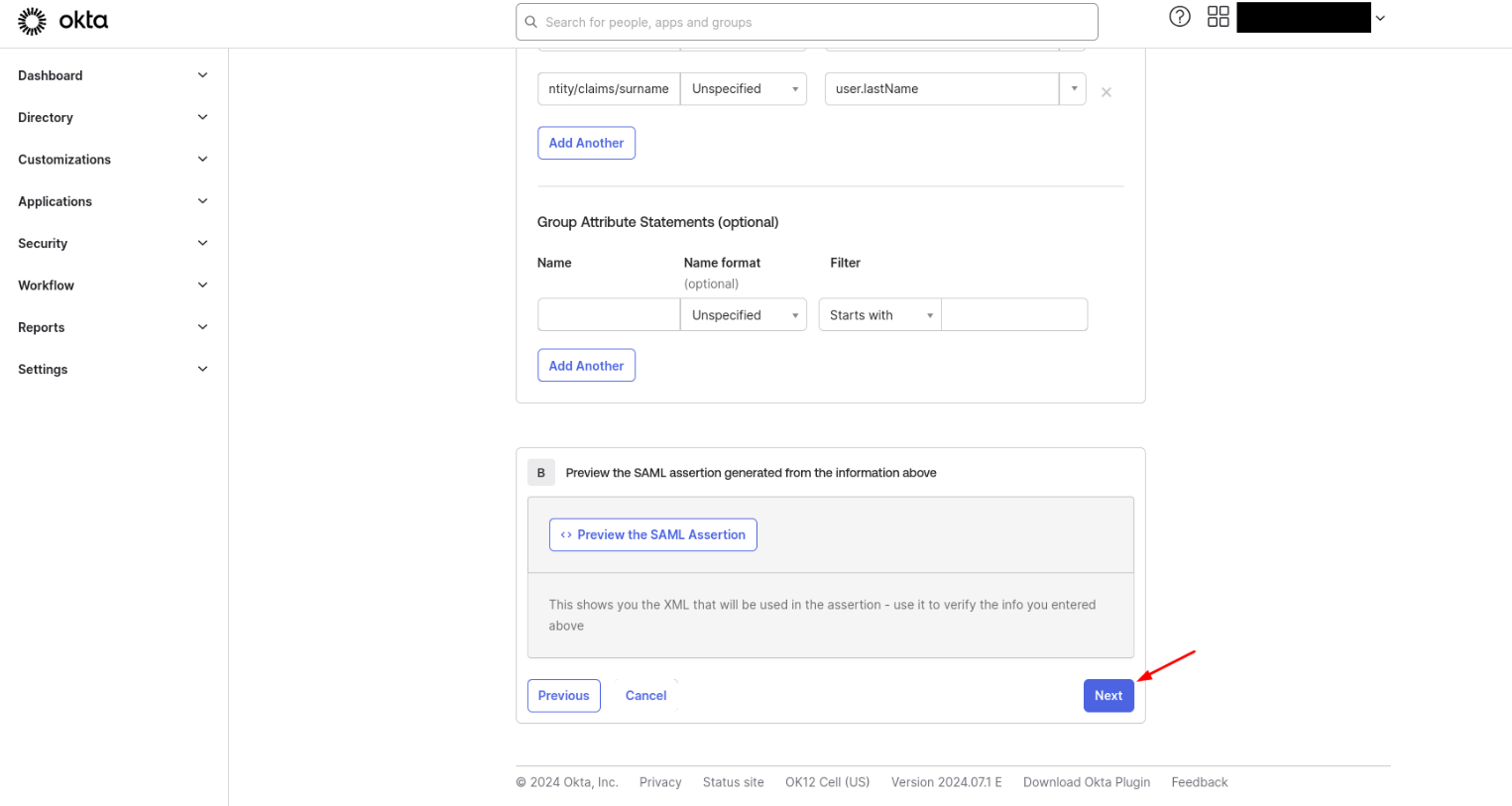
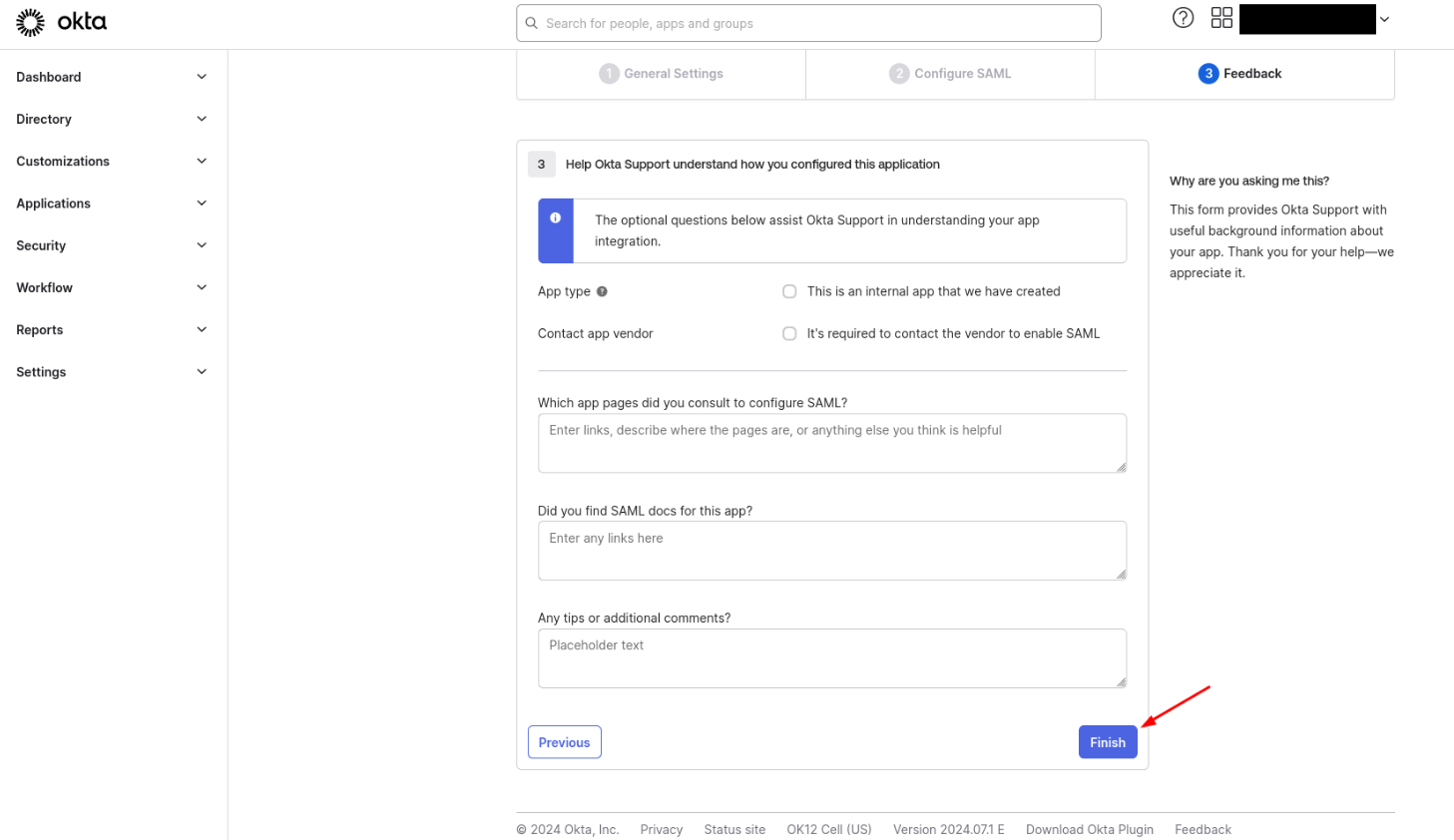
Click on Next and fill in the Feedback page as you wish then click on Finish
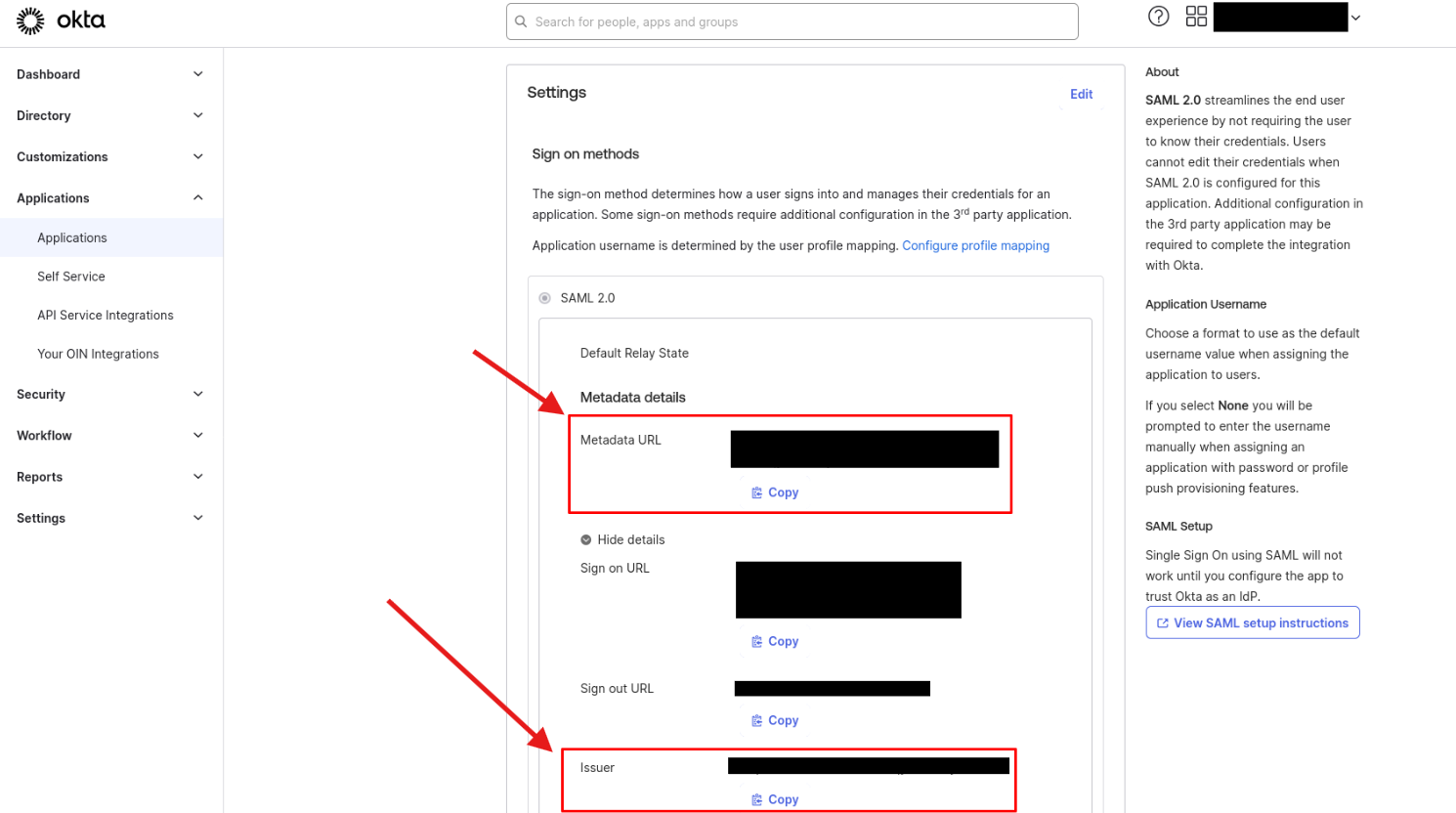
In the Settings box inside SAML 2.0:
Copy the Metadata URL and paste it into the Metadata URL field in CyberGuard
Copy the Issuer url and paste it into the IdP Entity ID field in CyberGuard
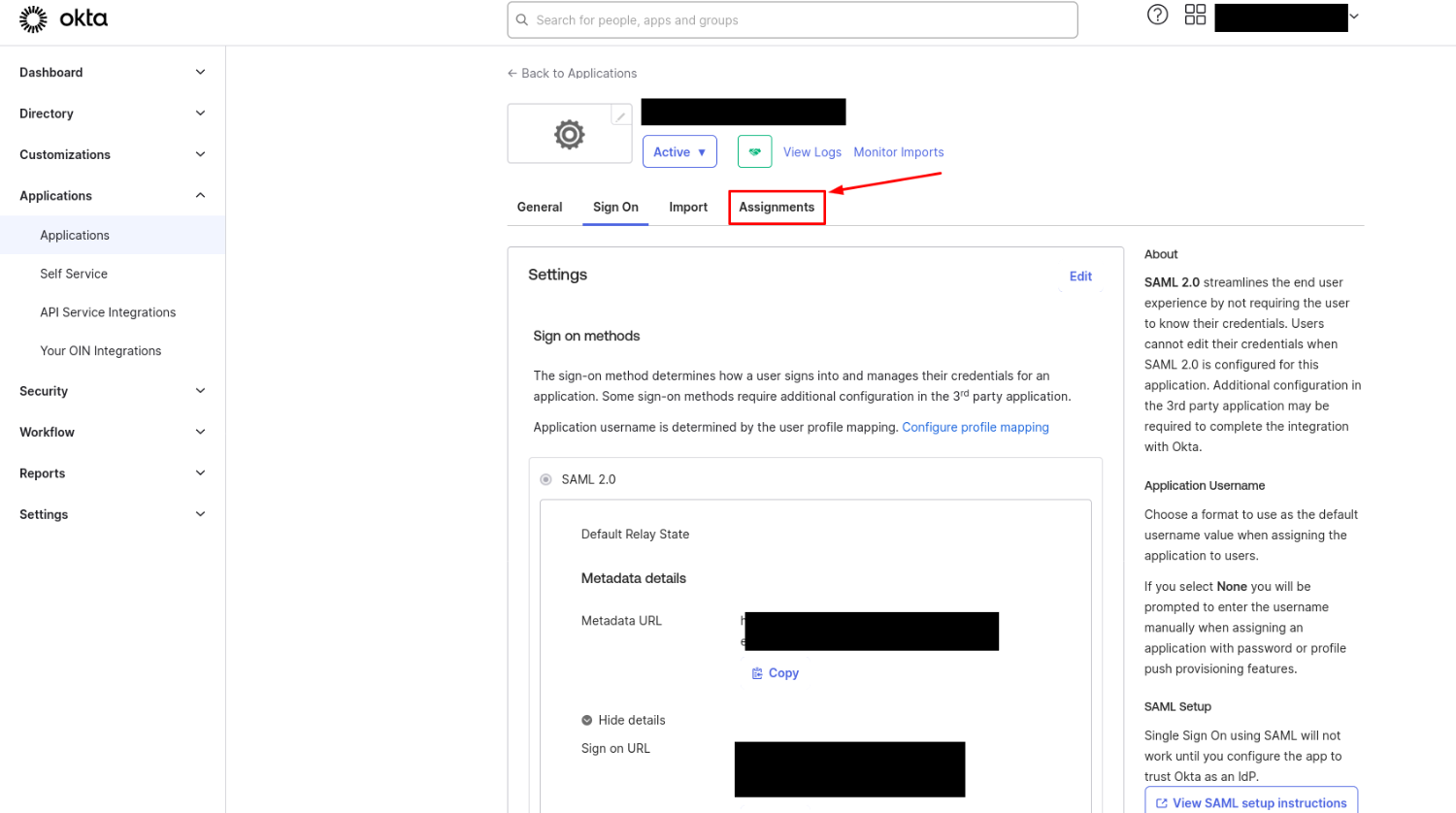
Go to the Assignments tab
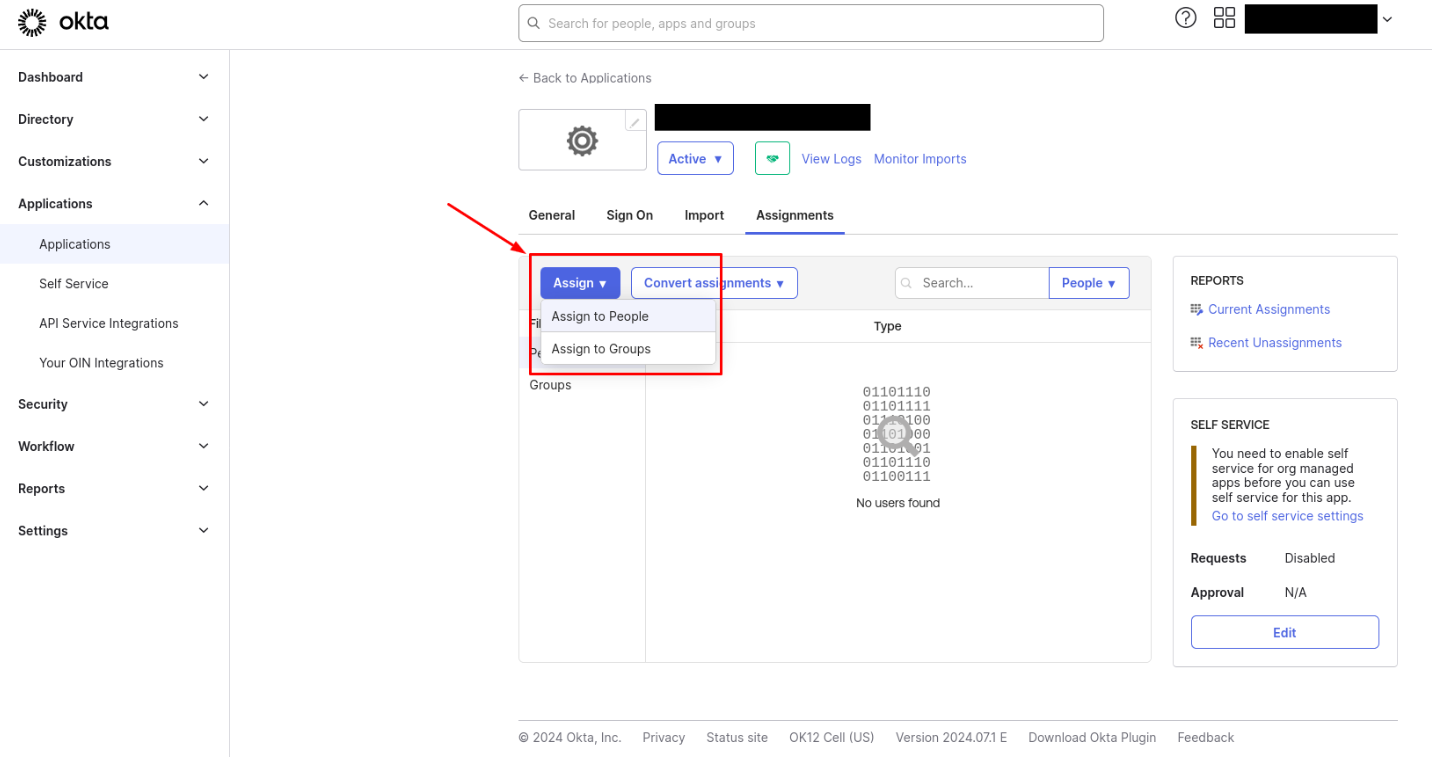
Click on Assign and choose whether you want to assign users or specific groups
Add a user in your application doesn't automatically create the user on CyberGuard
You can now configure CyberGuard with the 3 parameters you've retrieved.